In today's digital landscape, businesses often grapple with the challenge of ensuring a seamless connection between diverse document formats. The Fab-Connect Suite steps in as the perfect solution, assuring true integration of transactional documents across electronic, soft, and hard formats. Designed with flexibility in mind, it caters to organizations of all sizes.
What the Suite has to Offer...
Every enterprise, from new startups to established industry leaders, finds itself slowed down by a web of documents and data. This data often appears in three distinct formats: Electronic Document, Soft Document, and Hard Document.
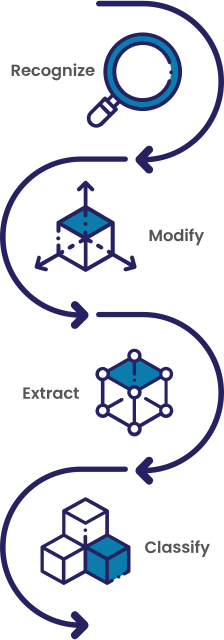
The overarching challenge lies not just in capturing these diverse formats but in effectively distributing the mined information across the business framework and subsequently managing the workflow. With the advent of advanced technologies like Large Language Models (LLMs), the Fab-Connect Suite leverages this power to extract, interpret, and distribute data with unparalleled precision.
Input

Capture

Distribute

Manage

Electronic Document
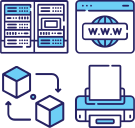
ERP
Accounting
CRM
Management Systems
Analytics Systems
Workflow Systems
Soft Document

File Sharing
ECM
Shipping
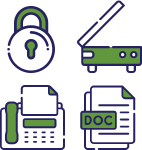
Hard Document
Your Gateway to Streamlined Document Management: Welcome to the Suite!
Modern businesses demand more than bare minimum tools for document management; they seek solutions that seamlessly integrate every facet of their operation. Whether it's about generating, processing, or distributing documents in Electronic, Soft, or Hard formats, the FabConnect Suite stands out as the ultimate tool.

Electronic Documents

SysConnect
SysConnect is your ally in harnessing system-generated, recurring transactional documents. The emphasis is on a seamless system-to-system data exchange. With our line of applications, the direct transfer of digital information to other systems becomes a hassle-free task.
Learn More >>
Soft Documents

DeskConnect
DeskConnect transforms the way users manage soft documents. From emails to desktop files and web resources, it increases the efficiency and effectiveness of document transactions. By leveraging LLMs, repetitive documents, regardless of their origin or format type, are auto-managed, offering users insightful and timely information at their fingertips.
Learn More >>
Hard Documents
MFDConnect
In the domain of hard documents, MFDConnect emerges as a comprehensive scan software and print solution. From the ubiquitous "Scan to everything" feature to the security of "Secure pull print," it encapsulates every need. Proudly integrated with industry stalwarts like HP, Lexmark, Ricoh, and Xerox, MFDConnect ensures that physical documents are digitized, interpreted, and stored with precision.
Learn More >>