
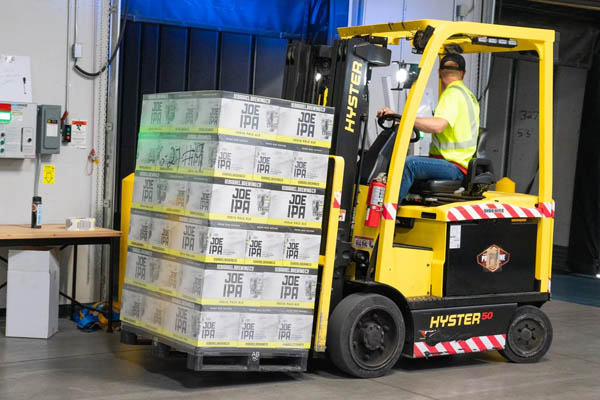
forklift with pallet in warehouse

Document Capture Automation for the Hardware Industry

Ricoh Canada has several locations across the country which include substantial warehouse locations as well as smaller warehouses within their sales branches. These locations receive numerous orders for equipment and use pick tickets to instruct warehouse staff on the items needed to be shipped to their customers or resellers. Previously, multipart / pre-printed forms were purchased and inventoried at all locations, and pick tickets were printed using line printers.

Ricoh Canada Challenges

Ricoh Canada has several locations across the country, including substantial warehouse locations and smaller warehouses within their sales branches. These locations receive numerous orders for equipment and use pick tickets to instruct warehouse staff on the items needed to be shipped to their customers or resellers. Previously, multipart / pre-printed forms were purchased and inventoried at all locations, and pick tickets were printed using line printers.

The Drawbacks With This Method Are Obvious:

  1. Frequent printer jams
  2. Wasting multipart forms
  3. More space needed to store multipart / pre-printed forms
  4. Expensive form redesigns
  5. Slow print speeds

Additionally, the format of the pick tickets was disorganized and consisted of multiple pages. This made it extremely complicated and difficult for the warehouse staff to keep track of what items were picked and what remained to be picked.

Solution Implemented By Ricoh Canada

By implementing FabSoft’s SysConnect, Ricoh Canada enhanced this inefficient process. With SysConnect, they can now recreate a more professional-looking form that can be printed on printing paper with a high-speed MFP or laser printer. To ensure that SysConnect can be utilized in all of their locations throughout the country, Ricoh Canada uses a Baan ERP system which does mainframe printing to save a printer or print queue for each location that sends the jobs to the SysConnect server.

Because the Baan system output is not uniquely recognizable by the content, the Baan printer set up for each location uses a different LPR queue name. Using FabSoft’s LPD Server option, the unique LPR queue name for each job is automatically associated with the correct form. This enables SysConnect to see which output device to send the job to from the many different devices throughout the country.

A representative from Ricoh Canada says:

“The bottom line is that it works more easily than the old method. It’s faster, quieter, and easier to read, uses fewer pages, and presents a more professional image to our customers and partners. In the future, we can convey marketing messages using this same infrastructure or even have our pick-lists re-ordered to sort multiple jobs into an aggregated job, sorted by aisles, then bins, etc. (almost like a postal sort to improve efficiency in the warehouse) and then have the shipping confirmation and packing slip print elsewhere to verify the orders. We already have a multipart form configuration for our main warehouse.”

SysConnect Benefits For Ricoh Canada

  • Ownership Through Local Uniqueness – Since both branches/warehouses had input on their requirements for forms, there is now an immediate sense of ownership in handling the documents. Now, they can have the extra statements that pertain to their region.
  • Consistent, Professional Looking Documents – There is now a complete consistency in appearance. The orders will all arrive with similar paperwork, which helps the customers’ receiving teams assemble orders shipped from different locations.
  • Improved Productivity – With the old method, pick tickets were unclear and sometimes missing, causing a lot of downstream communication errors, and orders were sometimes shipped twice. As a result, double-checking each pick ticket and the pulled items became a regular function. Since documents are well formatted and contain fewer pages, productivity has increased. With the new SysConnect system, the warehouse staff feels they have more control over their activities. Even the administrators in the office can prepare their orders faster by reviewing the screen content with the page content.
  • Cost Accounting – Ricoh Canada incurred substantial costs from managing pre-printed forms and line printers. They constantly purchased, inventoried, and loaded pre-printed forms. With the SysConnect system, forms are now printed on regular printing paper using an MFP or laser printer. Changes can be made to forms on-demand without worrying about ordering additional forms and wasting old ones.

What document capture challenges did Ricoh Canada face in their hardware distribution operations?

Ricoh Canada struggled with managing pre-printed multipart forms across multiple warehouse locations, unclear pick tickets causing communication errors, and costly inventory management of specialized forms requiring constant purchasing and loading into line printers.

How does document capture automation improve warehouse productivity in hardware distribution?

Automation eliminates unclear and missing pick tickets, reduces downstream communication errors, prevents duplicate shipments, and enables faster order processing. Staff gain better control over activities with well-formatted documents containing fewer pages.

What ROI benefits can hardware companies expect from implementing document capture automation?

Companies eliminate costs from purchasing and inventorying pre-printed forms, reduce printer maintenance expenses, achieve consistent professional documentation, and improve operational efficiency through reduced errors and faster order processing across multiple locations.

How quickly can document capture automation be implemented for hardware distribution centers?

Implementation typically involves replacing existing form systems with automated solutions that print on regular paper using standard MFPs or laser printers. Changes can be made on-demand without ordering new forms or wasting existing inventory.

What technical requirements are needed for document capture automation in hardware warehouses?

The solution requires standard multifunction printers or laser printers instead of specialized line printers, integration with existing warehouse management systems, and the ability to generate consistent, professional documents across multiple locations.

How does automated document capture ensure consistency across multiple hardware distribution locations?

Automation standardizes document formatting and content across all locations, ensuring customers receive similar paperwork regardless of shipping origin. This helps receiving teams efficiently assemble orders from different warehouse locations.

Ricoh Canada has several locations across the country which include substantial warehouse locations as well as smaller warehouses within their sales branches. These locations receive numerous orders for equipment and use pick tickets to instruct warehouse staff on the items needed to be shipped to their customers or resellers. Previously, multipart / pre-printed forms were purchased and inventoried at all locations, and pick tickets were printed using line printers.

Ricoh Canada Challenges

Ricoh Canada has several locations across the country, including substantial warehouse locations and smaller warehouses within their sales branches. These locations receive numerous orders for equipment and use pick tickets to instruct warehouse staff on the items needed to be shipped to their customers or resellers. Previously, multipart / pre-printed forms were purchased and inventoried at all locations, and pick tickets were printed using line printers. This traditional approach presented several operational challenges that needed to be addressed to improve efficiency and reduce costs across their distribution network.

The hardware distribution industry continues to evolve rapidly, with companies seeking more efficient ways to manage their warehouse operations and customer fulfillment processes. Document capture automation has emerged as a critical solution for organizations looking to streamline their operations while maintaining the high standards their customers expect.

What ROI benefits can hardware companies expect from implementing document capture automation?

Companies eliminate costs from purchasing and inventorying pre-printed forms, reduce printer maintenance expenses, achieve consistent professional documentation, and improve operational efficiency through reduced errors and faster order processing across multiple locations. Modern document capture solutions in 2026 deliver measurable ROI through reduced operational overhead and enhanced customer satisfaction.

How quickly can document capture automation be implemented for hardware distribution centers?

Implementation typically involves replacing existing form systems with automated solutions that print on regular paper using standard MFPs or laser printers. Changes can be made on-demand without ordering new forms or wasting existing inventory. Current deployment methodologies in 2026 enable rapid rollouts across multiple locations with minimal disruption to ongoing operations.

What technical requirements are needed for document capture automation in hardware warehouses?

The solution requires standard multifunction printers or laser printers instead of specialized line printers, integration with existing warehouse management systems, and the ability to generate consistent, professional documents across multiple locations. Modern 2026 solutions offer enhanced compatibility with cloud-based warehouse management platforms and advanced integration capabilities.

How does automated document capture ensure consistency across multiple hardware distribution locations?

Automation standardizes document formatting and content across all locations, ensuring customers receive similar paperwork regardless of shipping origin. This helps receiving teams efficiently assemble orders from different warehouse locations. Advanced template management systems available in 2026 provide even greater consistency and brand compliance across distributed operations.

Ricoh Canada has several locations across the country which include substantial warehouse locations as well as smaller warehouses within their sales branches. These locations receive numerous orders for equipment and use pick tickets to instruct warehouse staff on the items needed to be shipped to their customers or resellers. Previously, multipart / pre-printed forms were purchased and inventoried at all locations, and pick tickets were printed using line printers.

Ricoh Canada Challenges

Ricoh Canada has several locations across the country, including substantial warehouse locations and smaller warehouses within their sales branches. These locations receive numerous orders for equipment and use pick tickets to instruct warehouse staff on the items needed to be shipped to their customers or resellers. Previously, multipart / pre-printed forms were purchased and inventoried at all locations, and pick tickets were printed using line printers.

The challenges Ricoh Canada faced included:

  • High costs associated with purchasing and inventorying pre-printed forms at multiple locations
  • Dependency on specialized line printers for document production
  • Limited flexibility to modify form layouts without ordering new inventory
  • Inconsistent document quality across different locations
  • Waste from outdated or unused pre-printed forms

How can document capture automation be implemented for hardware distribution centers?

Implementation typically involves replacing existing form systems with automated solutions that print on regular paper using standard MFPs or laser printers. Changes can be made on-demand without ordering new forms or wasting existing inventory. Current deployment methodologies in 2026 enable rapid rollouts across multiple locations with minimal disruption to ongoing operations.

What technical requirements are needed for document capture automation in hardware warehouses?

The solution requires standard multifunction printers or laser printers instead of specialized line printers, integration with existing warehouse management systems, and the ability to generate consistent, professional documents across multiple locations. Modern 2026 solutions offer enhanced compatibility with cloud-based warehouse management platforms and advanced integration capabilities.

How does automated document capture ensure consistency across multiple hardware distribution locations?

Automation standardizes document formatting and content across all locations, ensuring customers receive similar paperwork regardless of shipping origin. This helps receiving teams efficiently assemble orders from different warehouse locations. Advanced template management systems available in 2026 provide even greater consistency and brand compliance across distributed operations.

Want to Boost Your Productivity?

Discover how FabSoft document automation solutions can transform your workflow.

© FabSoft 2026 | All Rights Reserved
Contact Us